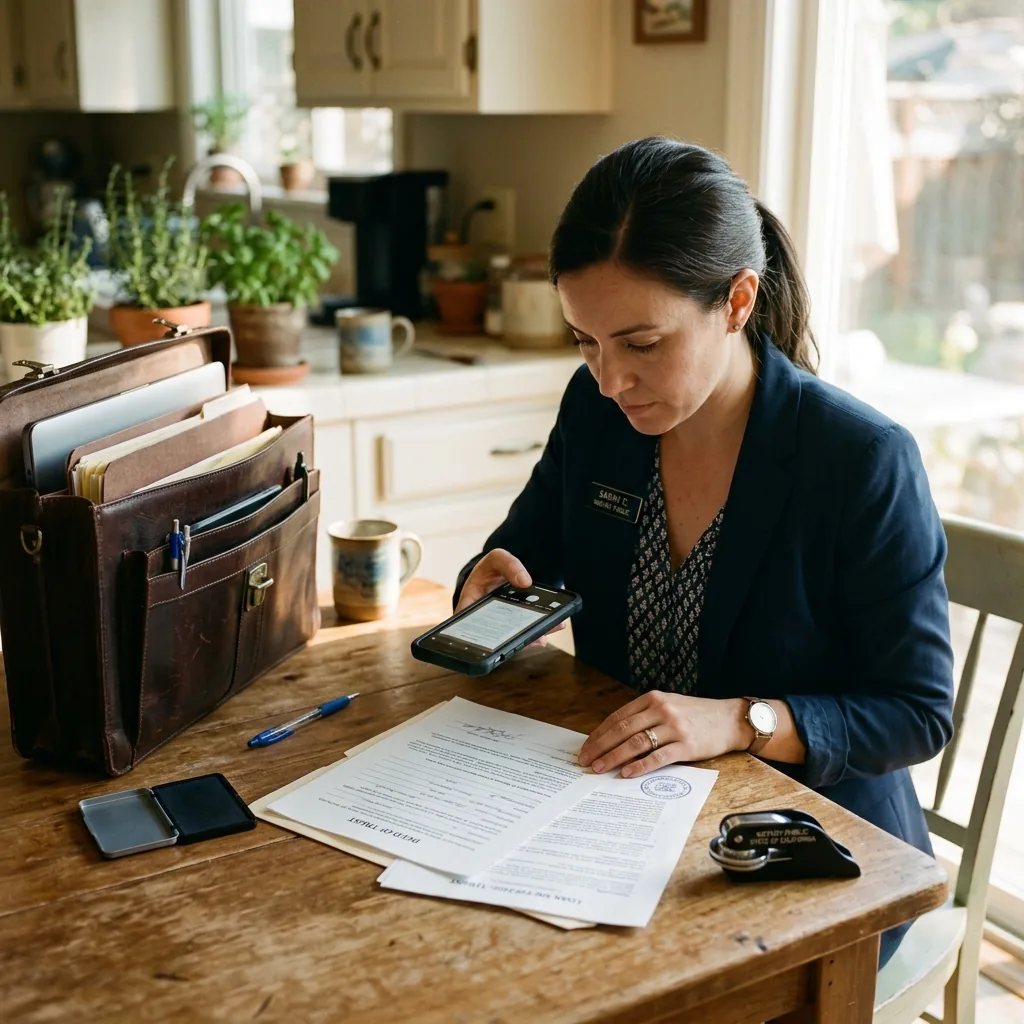
If you’re a mobile notary signing agent, I want you to time something tomorrow.
From the moment your last signing appointment ends, time how long it takes you to get the signed documents faxed to the title company. Include the drive back to your office. Include parking. Include walking to the machine, feeding the pages, waiting for transmission, dealing with any jams, and getting the confirmation page.
For most mobile notaries I’ve spoken with, the answer is somewhere between 30 and 60 minutes.
Now multiply that by 3–5 signings per week. That’s 90 to 300 minutes per week — 1.5 to 5 hours — spent not on signings, but on the logistics of faxing completed documents.
That’s not just wasted time. That’s lost revenue. At $100–150 per appointment, every signing you can’t fit into your schedule because you’re driving to a fax machine is real money left on the table.
The fax-back bottleneck
Title companies and mortgage lenders operate on tight closing timelines. When a signing is completed, they typically need confirmation within their processing window — sometimes within the hour. The industry standard for delivering signed documents is still, overwhelmingly, fax.
This creates a specific problem for mobile notaries that office-based professionals don’t face: you’re never at the machine.
Your “office” is wherever the signer is — their kitchen table, a hospital room, a retirement community, a coffee shop, a hotel lobby. When the signing ends, the clock starts. And the fastest way to get those documents to the title company is not to drive somewhere, but to fax them from where you are.
The smartphone solution
Cloud fax on your phone changes the economics of mobile notary work fundamentally. Here’s the new workflow:
Step 1: Complete the signing at the client’s location. Normal process, nothing changes here.
Step 2: Open the fax app on your phone. Most services include a built-in document scanner — position your phone over the signed documents, snap a photo of each page, and the app automatically straightens, crops, and converts them to a clean PDF.
Step 3: Enter the title company’s fax number. Tap send.
Step 4: Within 60–90 seconds, you receive a delivery confirmation on your phone. The title company has the documents.
Step 5: Drive to your next appointment instead of your office.
Total time from “signing complete” to “documents delivered”: 2–3 minutes.
Compare that to the old workflow: end signing → drive 15–30 minutes to office → park → walk to machine → feed pages → wait 5–10 minutes for transmission → deal with any issues → get confirmation → drive to next appointment. Total: 45–75 minutes.
The revenue math
Let me walk through the numbers that convinced every mobile notary I’ve worked with to make this switch.
Assume you’re currently averaging 3 signings per day, and the fax-back process costs you about 45 minutes each time. That’s 2 hours and 15 minutes per day spent on fax logistics.
Now imagine you recovered most of that time. Even squeezing in one additional signing per day — just one — at $125 per appointment, here’s what that looks like:
One extra signing per day × 5 days/week = 5 additional signings per week. 5 additional signings × $125 each = $625/week. $625/week × 4 weeks = $2,500/month in additional revenue.
Even if you only add 3–4 extra signings per week — because scheduling isn’t always perfect — that’s still $1,500–$2,000/month in additional income that was previously impossible because your schedule was consumed by fax logistics.
The cost of the cloud fax service? Typically $7–25/month depending on volume. The ROI is absurd.
Why title companies don’t care how you fax
This is a concern I hear frequently: “Will the title company know I’m using a digital service instead of a real fax machine?”
No. They won’t. And they wouldn’t care if they did.
Here’s why: from the title company’s perspective, the incoming fax is identical. The fax protocol is the same. The document arrives on their machine the same way. The resolution and quality are actually better with cloud fax because the document was transmitted as a digital file — no analog degradation from feeding a physical page through a scanner.
Your professional fax number appears on their caller ID and confirmation, just like it would from a physical machine. If you ported your existing number to the cloud service, it’s literally the same number arriving from the same identity.
The professionalism advantage
Beyond the time savings and revenue upside, there’s a subtler benefit.
When you fax completed signing documents from the signing location — within minutes of the appointment ending — title companies notice. You become the notary who delivers fast. Who doesn’t introduce delays. Who never has “I’m driving to my office to fax them” as part of the timeline.
In a profession where reputation and reliability directly determine referral volume, being known as the notary who confirms within 5 minutes is a meaningful competitive advantage.
I’ve spoken with mobile notaries who report that signing services and title companies specifically request them over competitors because of their speed of turnaround. When asked about their “secret,” the answer is disarmingly simple: they fax from their phone at the signing table.
The security angle that protects you
Notarized documents contain highly sensitive personal information. Government-issued IDs. Social Security numbers. Property addresses. Mortgage amounts. Financial account details.
When you drive these documents back to your office, there’s a window during which they exist as physical papers in your car. If your vehicle is broken into — theoretically unlikely, but not impossible — those documents are compromised. If you have a passenger, they could potentially see the documents. If you stop for coffee on the way back, the documents sit unattended.
When you scan and fax from your phone, the digital document is encrypted immediately. The cloud service stores it with 256-bit AES encryption. You can delete the scanned images from your phone after sending. There’s no physical paper floating around, no exposure window during transit, and a complete digital audit trail.
For a profession built on trust and legal verification, cloud fax provides a level of document security that physical paper handling simply cannot match.
Getting started takes 10 minutes
The transition is about as simple as technology transitions get:
Step 1: Choose a cloud fax service with a strong mobile app — this is critical for mobile notaries. The app should include a built-in document scanner, support high-quality scanning, and handle multi-page documents smoothly.
Step 2: Get a dedicated fax number through the service. If you already have a physical fax number that’s on your marketing materials, you can port it to the cloud service — same number, new infrastructure.
Step 3: Print your new (or ported) fax number on your business cards, notary marketing materials, and signing service profiles. You now have a professional fax number that works from anywhere.
Step 4: At your next signing, try the new workflow. Complete the signing, scan the documents with your phone, fax to the title company, and receive confirmation — all before you walk to your car.
Most mobile notaries tell me they wished they’d done this years ago. The reaction is almost always the same: “Wait, that was it? Why wasn’t I doing this already?”
I help independent professionals optimize their document workflows for efficiency and security. If you’re interested in comparing online fax services specifically for mobile professionals — including mobile fax app quality, document scanning features, and pricing — I published a comprehensive guide here: Best Online Fax for Notaries & Mobile Signing Agents
Frequently Asked Questions
Can you send a fax from your phone?
Yes — and it’s a game-changer for mobile notaries. Cloud fax apps for iPhone and Android let you scan documents with your phone camera and fax them instantly from any location. Most apps include a built-in document scanner that automatically straightens, crops, and converts photos to clean PDFs. You can send a multi-page fax in under 2 minutes, right from the signing table.
Can I send a fax from my Android phone?
Absolutely. Cloud fax services offer Android apps with the same functionality as iPhone apps — including document scanning, fax sending and receiving, delivery confirmations, and cloud archive. Download the app from Google Play, create an account, and you can send your first fax within minutes.
How to send a fax from my phone?
Open your cloud fax app, tap “New Fax,” then either upload an existing document or use the built-in scanner to photograph the pages. Enter the recipient’s fax number and tap send. The app converts your document to a fax signal and transmits it over the phone network. You’ll receive a delivery confirmation in your inbox within minutes — proof that the documents were delivered on time.
Can you send a fax from a cell phone to a regular fax machine?
Yes — this is exactly how cloud fax works. Your cell phone sends the document through the cloud fax service, which converts it to a standard fax signal and transmits it to the recipient’s fax machine. The title company, lender, or attorney on the other end receives a completely normal fax. They cannot tell it was sent from a phone rather than a physical fax machine.
How to send fax from mobile phone for free?
Some online fax services offer limited free plans that allow a small number of free pages per month. For mobile notaries who fax regularly, paid plans starting at $7–15/month are more practical and include unlimited scanning, delivery confirmations, and cloud storage for all faxed documents. Compared to the time and gas cost of driving to an office to use a physical machine, the monthly fee pays for itself in a single saved trip.